
Python Packaging Standards
The RepoForge.io Python index complies with the following Python Packaging Authority (PyPA) standards.
Repository API
The index serves Simple API version 1.4. The full specification is maintained at Simple repository API.
Distributions
| Standard | Specification |
|---|---|
| PEP 427 | The Wheel Binary Package Format |
| PEP 440 | Version Identification and Dependency Specification |
| PEP 625 | Filename of a Source Distribution |
| PEP 643 | Metadata for Package Source Distributions |
Upload Checks
When you upload with uv publish, twine or poetry publish, RepoForge.io also:
- checks the
sha256_digestyour client sends against the file it receives, and rejects the upload with a 400 error if they differ - returns
409 Conflictif the same file has already been uploaded
Yank a Release
Yank a release when it is broken but other projects may depend on it. Yanking applies to every file of the version. After yanking, pip install my-package and uv add my-package pick the newest release that isn't yanked, while pip install my-package==1.0.0 still installs the yanked release.
From the Dashboard
- Open Python in the dashboard and select the package.
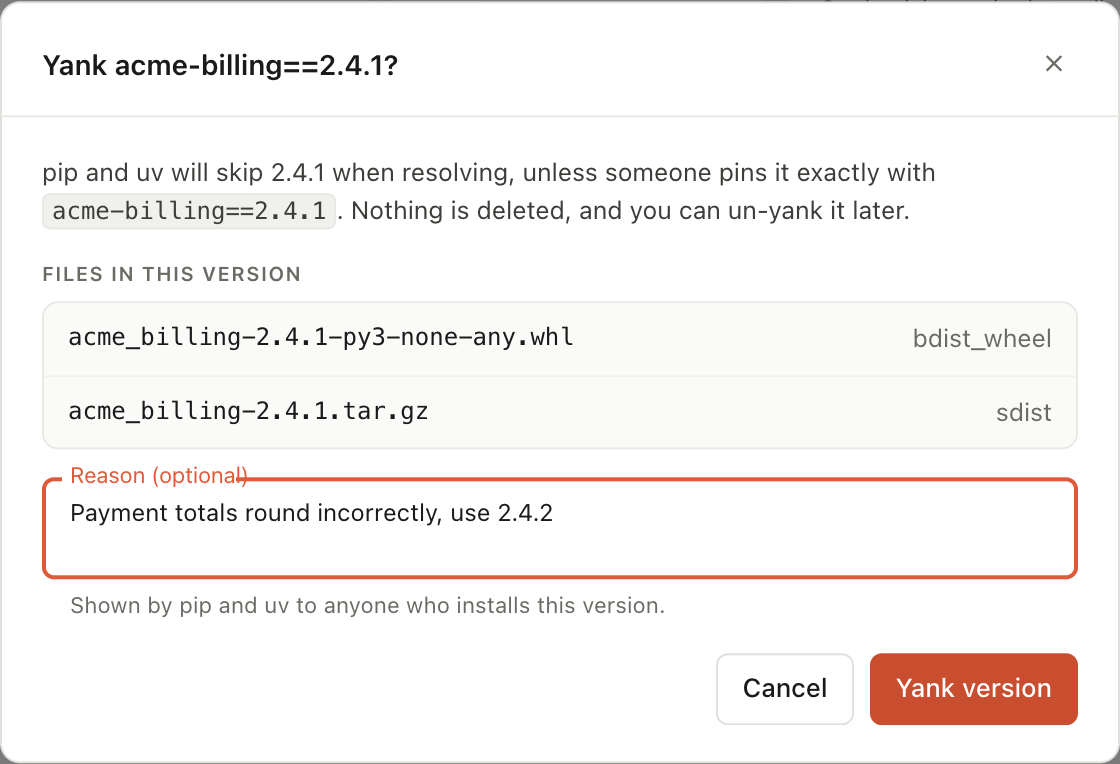
- In the row of the version you want to yank, click the Yank version button, between Download and Delete.
- Optionally, enter a reason. pip and uv show it to anyone who installs the version.
- Click Yank version.
Yanked versions are struck through and marked Yanked, with the reason underneath. The Versions tile shows how many versions are yanked.
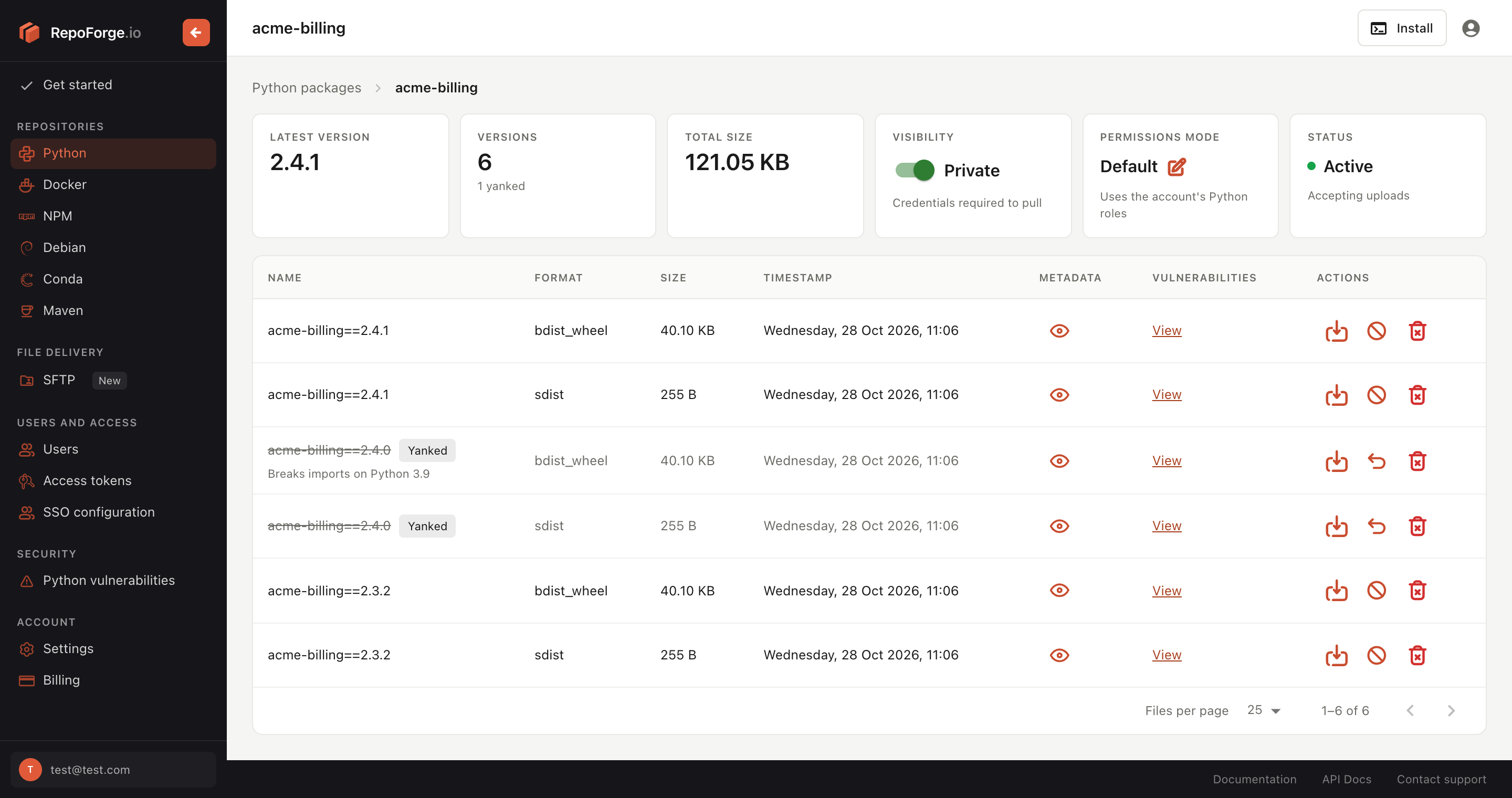
To undo it, click the Un-yank version button in the version's row, then click Un-yank version.
With the REST API
Create an access token with the API access role and a role that can upload to the package (for example, Python - Full access). The REST API is available on paid plans.
Yank the version, optionally with a reason:
bashcurl -X POST https://api.repoforge.io/rest/v1/python/my-package/versions/1.0.0/yank \ -H "Authorization: Bearer $REPOFORGE_TOKEN" \ -H "Content-Type: application/json" \ -d '{"reason": "Broken on Windows, use 1.0.1"}'To undo it, un-yank the version:
bashcurl -X POST https://api.repoforge.io/rest/v1/python/my-package/versions/1.0.0/unyank \ -H "Authorization: Bearer $REPOFORGE_TOKEN"
Set a Project's Status
A project can have one of these statuses:
- active: the default.
- deprecated: the project still accepts uploads, but users should move away from it.
- archived: the project no longer accepts uploads. Existing releases can still be installed.
- quarantined: the project serves no files and accepts no uploads, for example while you deal with a compromised release. Set the status back to
activeto lift it.
From the Dashboard
- Open Python in the dashboard and select the package.
- In the Status tile, click the current status.
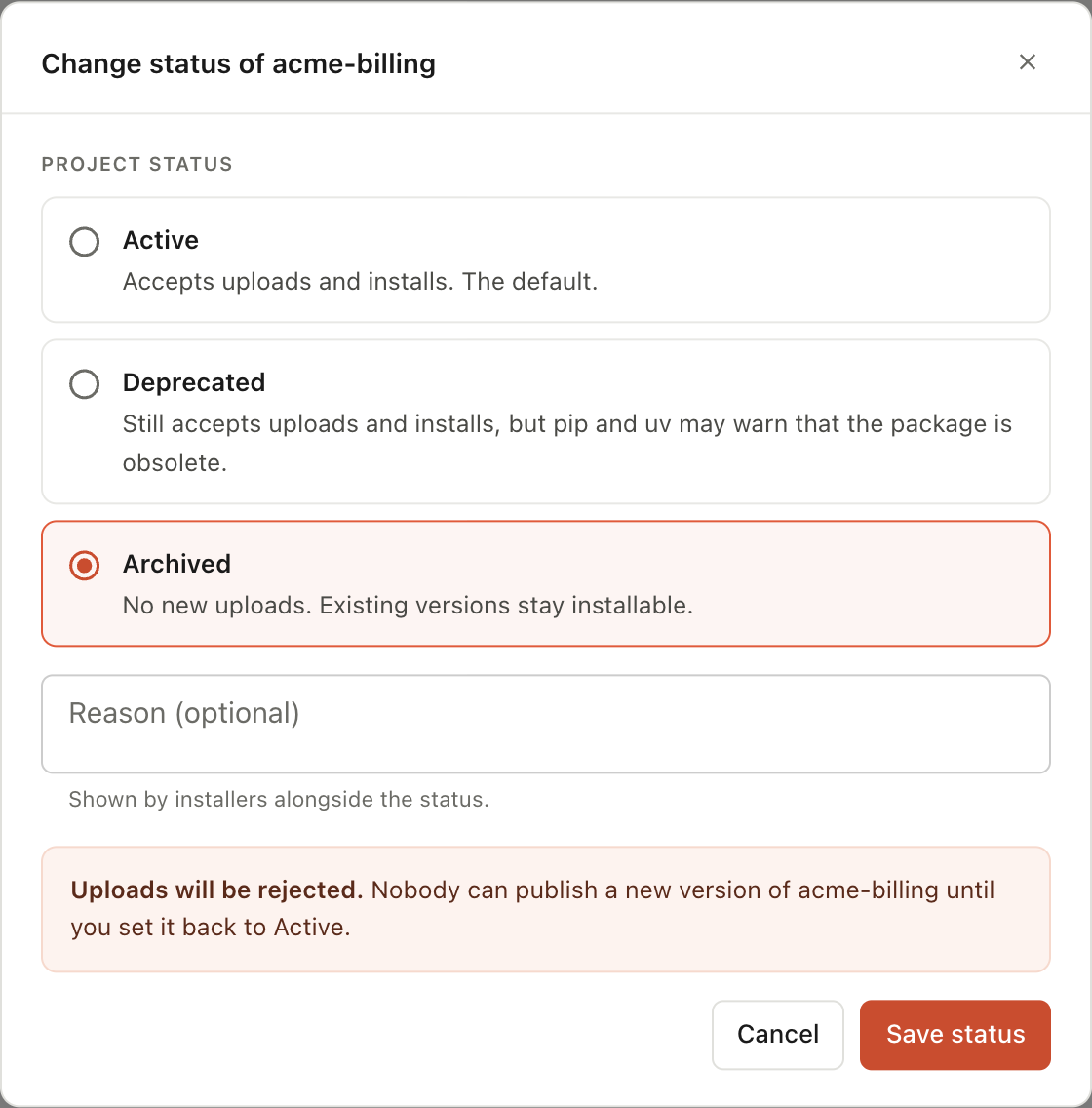
- Choose Active, Deprecated or Archived. For Deprecated or Archived, you can enter a reason that installers show alongside the status.
- Click Save status.
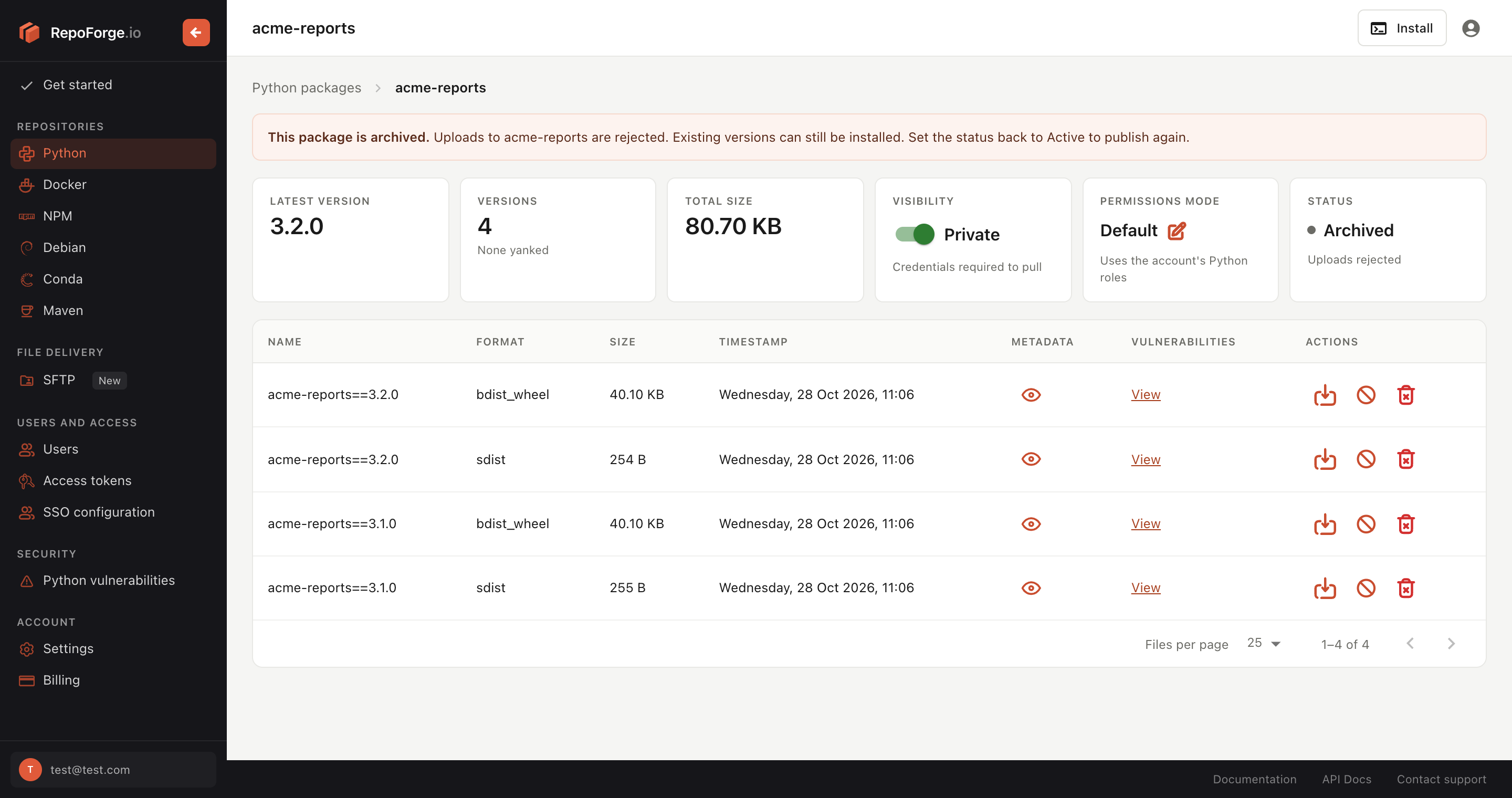
Archived and deprecated packages show a notice at the top of the package page, and a label next to their name in the package list.
To quarantine a project, use the REST API.
With the REST API
Use an access token with the same roles as for yanking:
curl -X PUT https://api.repoforge.io/rest/v1/python/my-package/status \
  -H "Authorization: Bearer $REPOFORGE_TOKEN" \
  -H "Content-Type: application/json" \
  -d '{"status": "archived", "reason": "Replaced by my-new-package"}'
Set "status": "active" to clear it.
Upstream Mirroring and Deleted Packages
If upstream mirroring is on, a name that isn't in your account is fetched from your mirror. Names that exist in your account, or existed and were deleted, are never fetched from the mirror: RepoForge.io returns 404 Not Found instead. A deleted private package therefore can't silently resolve to a package of the same name on PyPI, which is a common route for dependency confusion attacks.