Appearance
Vulnerabilities
RepoForge.io automatically scans the Python packages uploaded to RepoForge.io for known security vulnerabilities, and shows the results on the Python Vulnerabilities page of the dashboard (available on paid plans and free trials). If you have an Advanced plan, RepoForge.io will continue to scan your packages in case vulnerabilities become known at a later date.
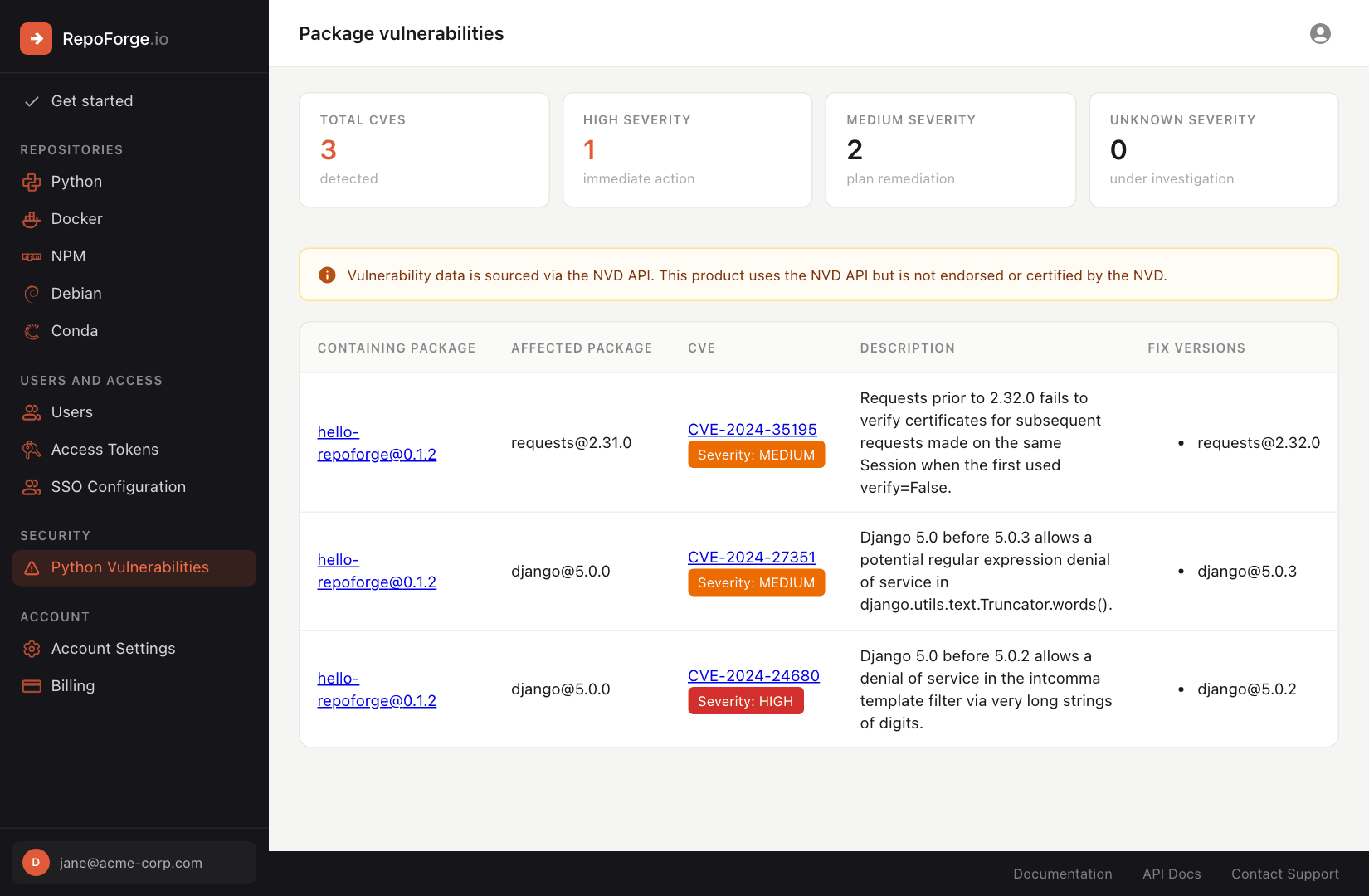
The page summarizes the total number of CVEs by severity, and lists each vulnerability along with the package that contains it, the affected dependency, a description and the versions in which it has been fixed. You'll also see a vulnerability count on the Python packages page, and a Vulnerabilities column on each package's version list.
About NPM, Docker, Debian and Conda
RepoForge.io doesn't currently support vulnerability scanning for these package types.
Setting up your Python packages correctly
RepoForge.io can only tell if your package contains insecure dependencies if it knows what the dependencies of your package are - RepoForge.io will read the metadata file from your package to determine what the dependencies of your package are, and will then be able to identify any known vulnerabilities in them. It is crucial that any dependencies listed have their pinned versions - otherwise RepoForge.io will not know which versions of your dependencies to check for vulnerabilities.
The easiest way to ensure that your metadata file correctly lists your dependencies is to use a tool that records exact versions - uv or Poetry. Poetry, for example, will automatically add any dependencies you add to your project, including the installed versions, to your package metadata when you execute the poetry publish command.
If you aren't using one of those tools, then you'll need to ensure that the install_requires parameter in your setup.py file is set to show the dependencies that your project relies on. If you're using setup.py and requirements.txt files, you could do something like this:
python
from setuptools import setup

with open('requirements.txt') as f:
    required = f.read().splitlines()

setup(
    install_requires=required,
)
This may be sufficient to ensure the metadata is correctly added to your compiled package. However, there is a caveat - if your requirements file contains comments, then the above will fail to parse properly. If you are using pip-compile, which adds comments to the output by default, to generate your requirements files), then you may wish to add the --no-annotate option when doing so.