Appearance
Using Conda with RepoForge.io
RepoForge.io now supports Conda, enabling you to manage and distribute Conda packages through your own private or public channels. This guide will walk you through creating and installing Conda packages on RepoForge.io and explains the decisions you should make before automating the workflow.
Looking for a step-by-step walkthrough? Read How to create a private Conda channel with RepoForge.io on the RepoForge.io blog for a practical tutorial.
Understand RepoForge.io Channels
Every Conda channel in RepoForge.io is scoped to an organization and can be public or private. Private channels give you fine-grained control over who can install proprietary artifacts, while public channels let you share pre-built environments with the community. Use separate channels for stable releases and experimental builds so that developers can choose the level of risk they are willing to accept.
Metadata Retention
RepoForge.io preserves build metadata such as platform, Python version, and dependencies. Capture this information in your package description so that consumers know when an upgrade is safe. Cleaning up superseded builds keeps your channel searchable and shortens download times for continuous integration jobs.
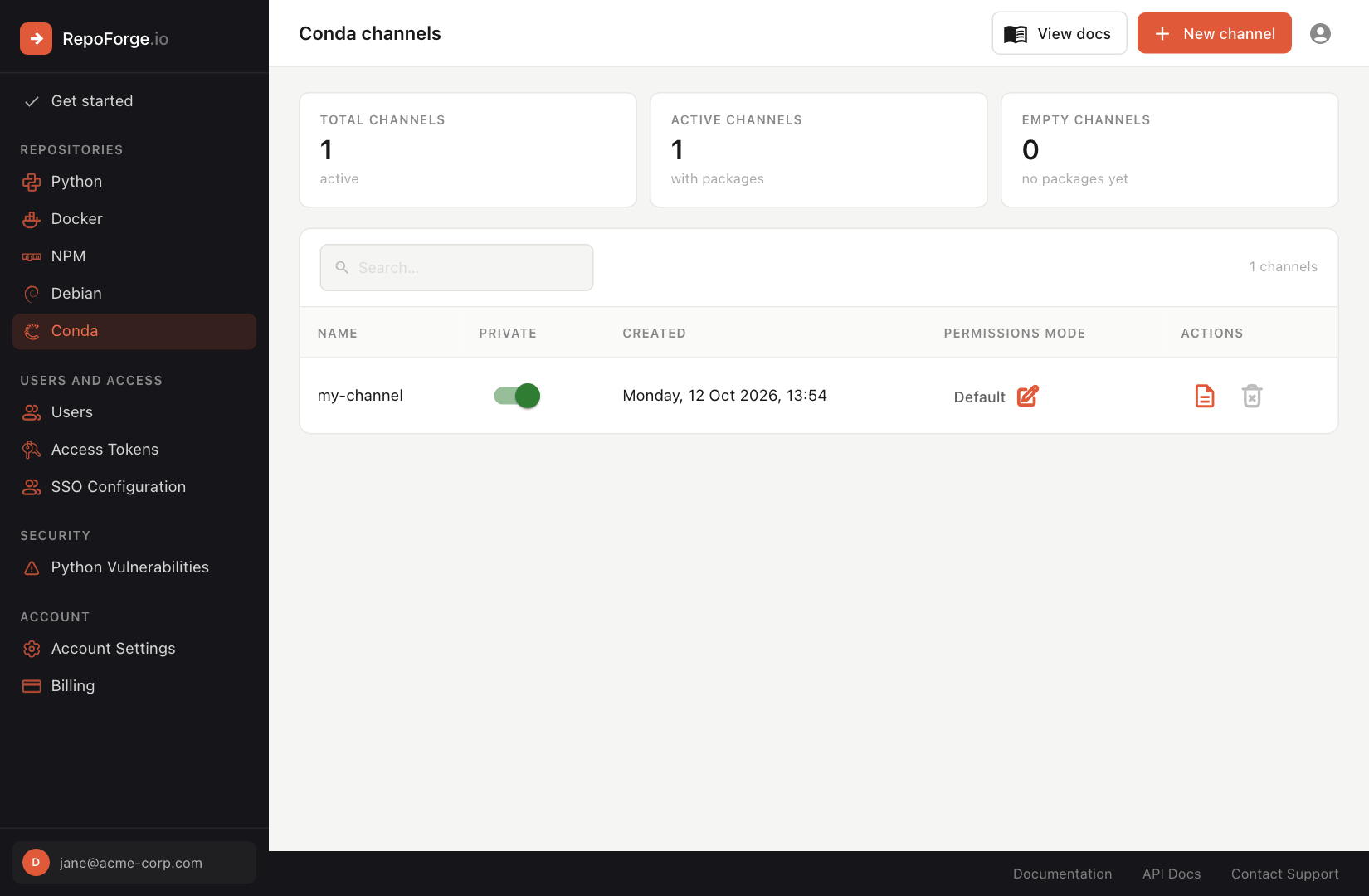
Creating a channel
Conda packages live in named channels, and a channel must exist before you can upload to it:
- Log in to your RepoForge.io dashboard.
- Select Conda in the side menu.
- Click New channel, give the channel a name (lowercase letters, numbers and hyphens, starting with a letter) and click Create.
Uploading a Conda package
To upload a Conda package to RepoForge.io, you can use any tool or language that supports HTTP POST requests. You will need an access token with the Conda - Full access role - create one under Access Tokens in the dashboard. Here's an example using curl:
bash
curl -u __token__:$REPOFORGE_TOKEN \
  -F file=@mypackage-1.0.0-py311_0.tar.bz2 \
  https://api.repoforge.io/conda/unique-hash-id/my-channel/
Or, using Python:
python
import requests

with open("mypackage-1.0.0-py311_0.tar.bz2", "rb") as f:
    files = {'file': f}
    auth = ("__token__", "$REPOFORGE_TOKEN")
    response = requests.post(
        'https://api.repoforge.io/conda/unique-hash-id/my-channel/',
        files=files,
        auth=auth
    )
    assert response.status_code == 200
Replace:
unique-hash-idwith your organization's unique ID.my-channelwith the name of the channel you created above. Uploading to a channel that doesn't exist returns a 404.$REPOFORGE_TOKENwith your access token. You can use your RepoForge.io email address and password instead if your user has the Conda - Full access role.
Important Note for Free Users
Free accounts can only create public packages, so authentication is not required to download them. Uploading always requires credentials.
Installing a Conda package
To install a package from your RepoForge.io channel, follow these steps. Each package in the dashboard has an install instructions button that shows these commands with your channel and package filled in.
Step 1: Add your channel
Add your RepoForge.io Conda channel:
conda config --set custom_channels.my-channel https://api.repoforge.io/conda/unique-hash-idReplace my-channel with your channel name and unique-hash-id with your organization's ID.
Step 2: Install and authenticate with the conda-auth plugin
This section only applies where your Conda channel is private
Install the conda-auth plugin if you haven't already:
conda install --name base --channel conda-forge conda-authThen log in to your channel, using an access token with the Conda - Read only (or Full access) role as the password:
conda auth login -b my-channel --username __token__ --password $REPOFORGE_TOKENStep 3: Install the package
Finally, install the desired package from your channel:
conda install -c my-channel package-name=1.0.0Recommended Best Practices
- Pin Dependencies – Reference exact versions of critical libraries when building Conda packages so that consumers can reproduce your environment in automation.
- Automate Verification – Add smoke tests to confirm that your packages install cleanly on supported platforms before publishing to a production channel.
- Document Authentication – For private channels, provide installation snippets with the
conda-authplugin so that teammates can copy, paste, and start working immediately.
Troubleshooting Common Issues
- HTTP 401 Errors – Verify that the API token has the correct scope and has not expired. Free accounts cannot authenticate to private channels.
- Unsatisfiable Dependencies – Check that the uploaded package metadata references versions that are available in your channel or in the default Conda repositories.
- Slow Downloads – Remove unused builds, especially large platform-specific archives, to reduce the size of the channel index generated by RepoForge.io.